
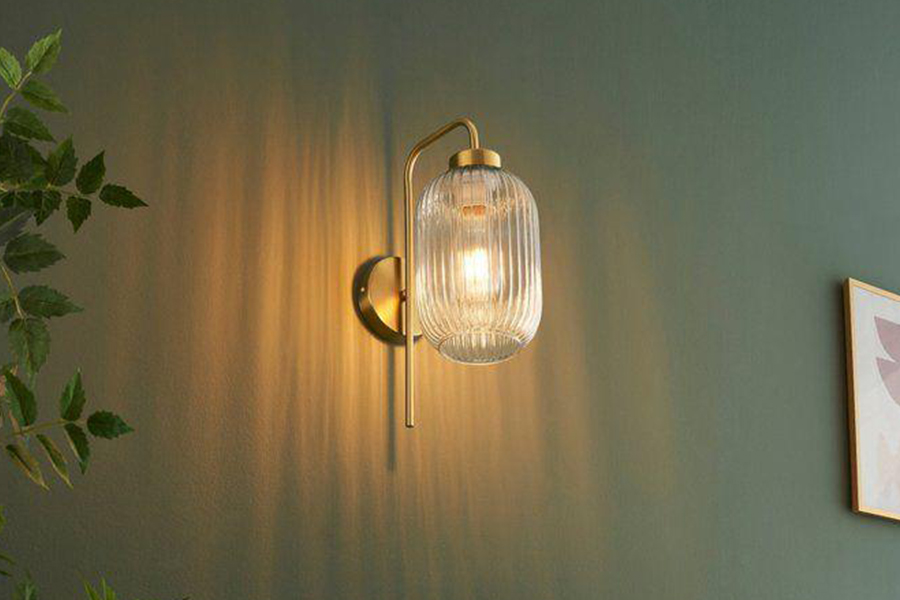
Lighting plays a major role in shaping the mood, functionality, and comfort of every room. Whether you’re planning a new home, renovating a space, or upgrading your lighting layout, it helps to know exactly how much illumination a room needs. Instead of guessing the number of fixtures or experimenting through trial and error, a light calculator offers a simple and accurate way to determine the right lighting setup for any room.
The Wipro Light Calculator is designed to help users select the correct number of lighting units and the ideal brightness for different spaces. If you’re exploring how to optimise general lighting or want to add decorative and accent lighting to your home, this tool makes decision-making easier and more accurate. Here’s how it works.
What a Light Calculator Is
A light calculator is a digital tool that helps you estimate how many lighting fixtures are required to achieve the recommended illumination level for a room. Illumination is measured in lux, which indicates the amount of light falling on a surface. Different rooms, such as kitchens, bedrooms, and study areas, require different lux levels based on their purpose.
For example:
- Bedrooms typically need softer, ambient lighting.
- Living rooms may need layered lighting with accent features.
- Kitchens require brighter illumination for safety and clarity.
Without proper calculations, you may end up with a space that feels too dim, overly bright, or unevenly lit. A light calculator eliminates these problems by offering scientifically based recommendations.
What a Light Calculator Does
A light calculator evaluates your room’s dimensions, height, and purpose to recommend an optimal lighting plan. It simplifies lighting design for homeowners by offering ready-made calculations without requiring technical knowledge.
Here’s what it helps with:
Determines the Number of Lighting Units Needed
Instead of buying lights based on vague assumptions, the calculator tells you exactly how many fixtures you need to achieve the target illumination level for your room.
Displays Estimated Illuminance
The tool not only suggests the number of units but also shows the corresponding lux value. This ensures that your lighting levels match the recommended standards for comfort and functionality.
Supports Different Room Types and Lighting Styles
Whether you’re planning task lighting for a study area, soft ambient lighting for a bedroom, or a mix of accent light and decorative light for a living room, the calculator helps you create balanced illumination based on room purpose.
Improves Lighting Accuracy
It reduces the guesswork involved in lighting selection and helps avoid under-lighting or over-lighting, both of which can affect the aesthetics and usability of a space.
Overall, a light calculator makes it easy for anyone to plan effective lighting layouts without needing an expert.
How to Calculate Illumination Using the Wipro Light Calculator
Using the Wipro Light Calculator is simple. The tool provides a quick, guided process to calculate your illumination requirements within seconds. Here’s a step-by-step guide on how to use it effectively.
1. Select Your Room Type
Start by choosing the room you want to illuminate. Options typically include bedrooms, kitchens, living rooms, study areas, hallways, and more. Each room type has a different recommended lux level based on its function.
For example:
- Study rooms need bright, focused lighting.
- Bedrooms need softer, comforting illumination.
- Living rooms may involve layered setups, including accent light and decorative light combinations.
Choosing the right room type ensures the calculator uses the correct lux standards.
2. Enter Room Dimensions
You’ll need to fill in the length and width of your room. Accurate measurements are important because the total area determines how much light is needed.
Even slight changes in dimensions can significantly affect the number of lights required.
3. Enter the Ceiling Height
Ceiling height directly impacts light spread.
- Higher ceilings may require stronger illumination or additional fixtures.
- Lower ceilings can achieve the same brightness with fewer units.
The calculator uses your room’s height to adjust the final lighting recommendation.
4. Choose the Lighting Product Type
Select the type of light you want to use. This could be a panel light, downlight, ceiling fixture, or any other general type of lighting. The wattage and lumen output of your selected fixture influence how many units you will need.
This section allows you to plan whether the room will rely mainly on ambient lighting or if additional sources, such as decorative or accent lighting, will be added later.
5. Click ‘Calculate.’
Once all the information is entered, hit the calculate button.
The tool will instantly display:
- The number of lighting units required
- The estimated illuminance (lux) level
This makes it incredibly easy to make informed decisions when purchasing lights or planning layouts.
6. Example Calculation (Rephrased Without Brand/Product Names)
For instance, if you enter a bedroom measuring 14 ft × 10 ft with a ceiling height of 10 ft and select a standard 15-watt panel light, the calculator might recommend approximately 3 lighting units to achieve around 200 lux illumination.
This example shows how quickly and accurately the tool helps with lighting decisions.
A Smarter Way to Plan Lighting
The Wipro Light Calculator has transformed how homeowners plan room lighting by providing accurate, science-based recommendations. Whether you’re choosing ambient fixtures, adding decorative light elements, or enhancing specific areas with accent light, this tool helps you create a balanced, well-lit environment. With just a few inputs, you can design a lighting setup that is functional, aesthetically pleasing, and perfectly suited to your space.